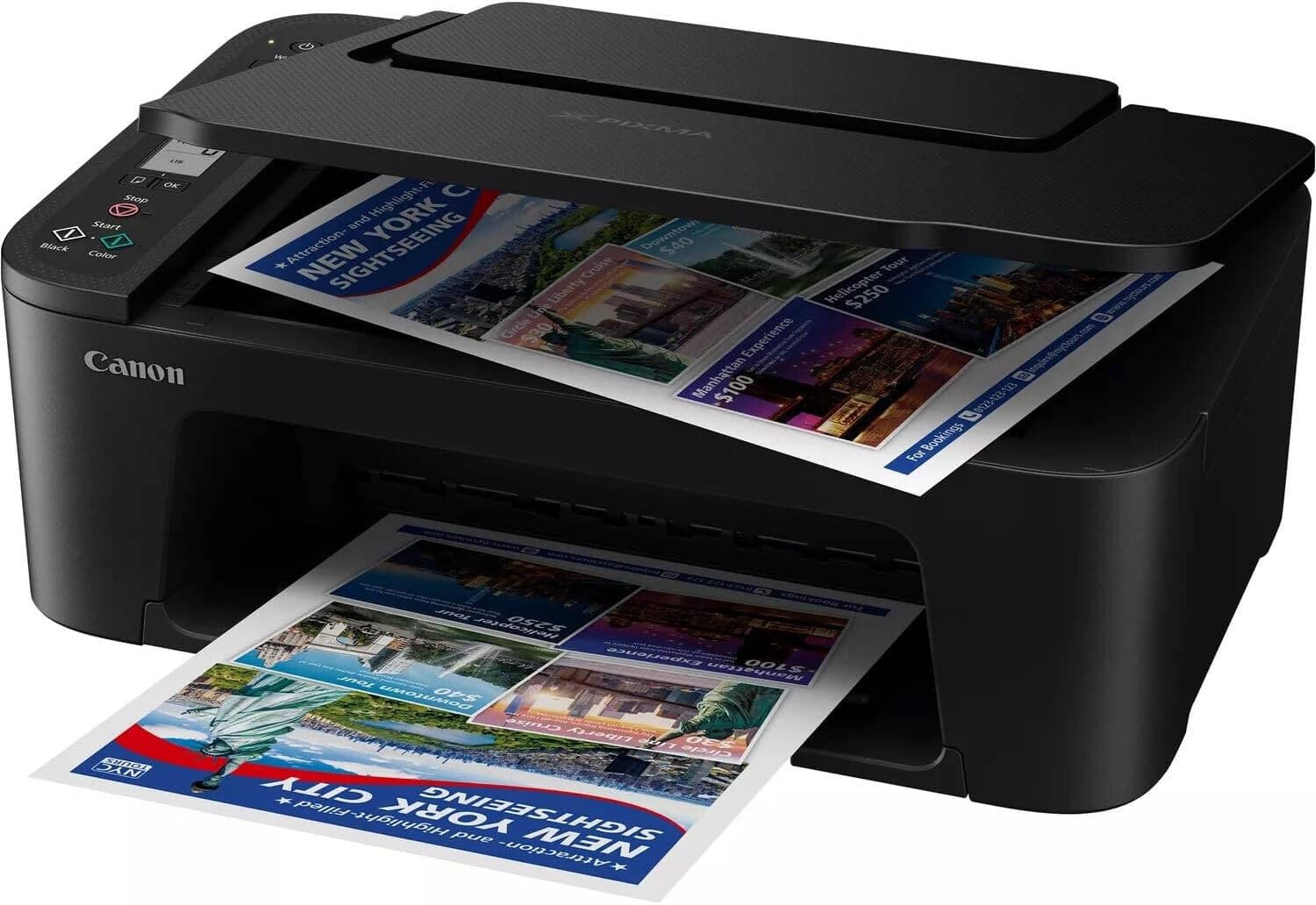
Canon PIXMA TS3340 3-in-1 WiFi inkjet printer
Product Features
- Canon PIXMA TS3340 3-in-1 WiFi inkjet printer
Guaranteed Safe Payment


Share This Product
The Canon PIXMA TS3340 is a compact, entry-level all-in-one inkjet printer designed for home users, students, and light office work. It balances a low initial purchase price with modern wireless features.
Feature Details
-Functions Print, Copy, Scan, Cloud Link
-Print Resolution Up to 4800 x 1200 dpi
-Print Speed ~7.7 ipm (Black) / ~4.0 ipm (Color)
-Scanning Flatbed CIS scanner; 600 x 1200 dpi
-Connectivity Wi-Fi, Hi-Speed USB, Canon PRINT app, AirPrint, Mopria
-Paper Handling 60-sheet rear tray; supports A4, Letter, and Photo sizes
-Display 3.8 cm (1.5") Segment Mono LCD
-Dimensions 435 x 316 x 145 mm; Weight: 3.9 kg
Ink Type and Compatibility
The TS3340 uses a Hybrid Ink System that combines pigment black ink (for sharp text) and dye-based color ink (for vibrant photos). It utilizes two FINE Cartridges:
Standard Cartridges: * PG-445 (Black): ~180 pages
CL-446 (Color): ~180 pages
High-Yield (XL) Cartridges:
PG-445XL (Black): ~400 pages
CL-446XL (Color): ~300 pages
Wireless and Mobile Printing
-Built-in Wi-Fi: It operates on the 2.4GHz band (standard for most home routers).
-Canon Print App: This is the primary "hub." You can print documents from your phone ,scan images directly to your mobile device, and even check your ink levels.
-Apple AirPrint & Mopria: For iPhone and Android users, you can print directly from your phone's "Share" or "Print" menu without downloading any extra Canon software.
-Wireless Direct: You can connect your phone directly to the printer’s own Wi-Fi signal.This is a lifesaver if your home internet goes down or if you have a guest who needs to print something quickly.
Cloud Connectivity
-PIXMA Cloud Link: Through the Canon app, you can print directly from (or scan to) popular services like;Google Drive / OneDrive / Dropbox
-Facebook and Instagram (great for 5x5" square photo prints)
-Scan to Cloud: You can scan a physical document and have it sent directly to your email or cloud storage without ever opening a PC.
Physical and Traditional Connections
-Hi-Speed USB (Port B): If you prefer a "plug and play" setup, you can connect it to your PC or Mac via a standard USB printer cable.
-WLAN PictBridge: If you have a compatible digital camera, you can print photos wirelessly directly from the camera.
Ideal for
1:Students & Teachers: Ideal for printing school assignments, research papers, and worksheets. The high resolution (4800 \times 1200\text{ dpi}) ensures that graphs and diagrams look professional.
2:Occasional Home Users: If you only print a few pages a week like flight tickets, occasional forms, or the odd recipe this printer is perfect. It has a tiny footprint and won't break the bank upfront.
3:Creative Hobbyists: Its ability to print on magnetic and re-stickable photo paper, as well as 5 \times 5 inch squares, makes it a fun tool for scrapbooking and personalized gifts.
4:Smartphone-Heavy Users: Because it supports Apple AirPrint, Mopria, and the Canon PRINT app, it's great for people who prefer to print photos or documents directly from their phone without touching a computer.
Related Products
View All
-13%
-13%
-7%
-15%
-10%